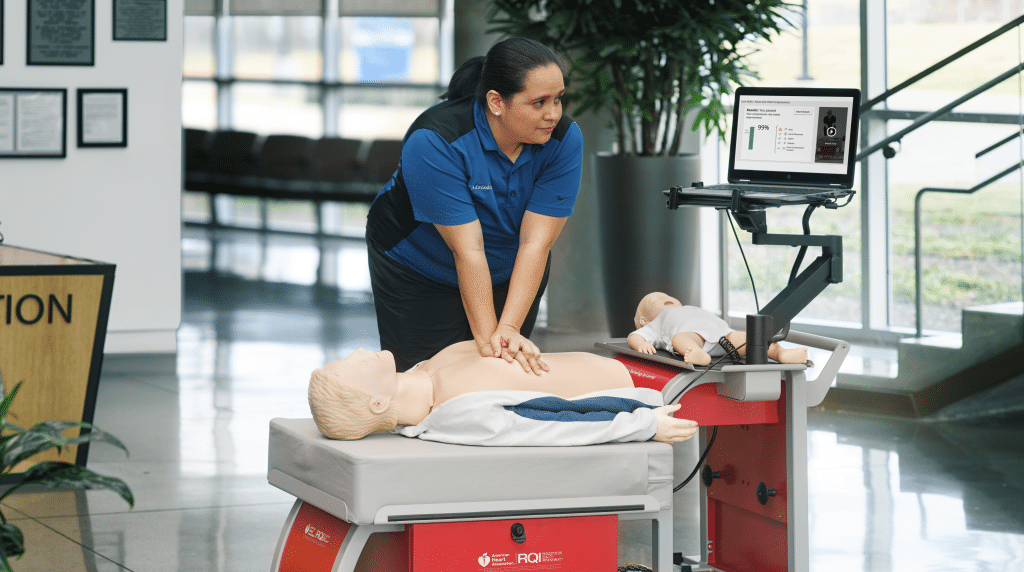
Get your team BLS certified by confirming the required course, arranging group enrollment, and scheduling hands-on skills testing before your deadline. SureFire CPR combines self-paced online learning with skills testing at our locations, so employees can complete their training around their work schedules.
What people commonly call “BLS certification” is officially an American Heart Association (AHA) BLS Provider Course Completion eCard. Employees must successfully complete the required learning and hands-on skills components to earn it.
For HR managers and training coordinators, a practical plan starts with a clear roster, a realistic deadline, and a way to verify completion.
What should you confirm before booking BLS training?
Start by asking the person responsible for your organization’s training requirements which course and provider card employees need. Confirm that the AHA BLS Provider course meets those requirements before purchasing seats.
Avoid treating CPR and BLS as interchangeable enrollment options. Your organization may require different courses for different roles, so review the requirement for each employee.
Record the employee’s name, work location, required course, current card expiration date, and completion deadline. Include new hires and employees whose cards need attention soon.
Resolving these details before enrollment helps you avoid booking the wrong course or discovering an overlooked employee near the deadline.
How does group BLS training with SureFire CPR work?
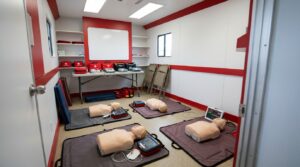
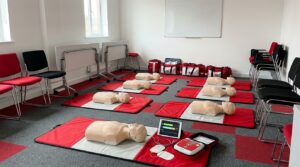
SureFire CPR’s group training option combines online coursework with an in-person skills check at a SureFire Skills Lab. Employers assign certifications to employees directly from our Pulse platform.
Employees get assigned certifications by the group admin, after which they select a skills-testing location, date, and time. They complete the required online learning and attend their hands-on skills session.
This format lets you coordinate training for a team without requiring everyone to leave work for the same appointment. Employees can progress individually while you manage the organization’s overall deadline.
Confirm current purchasing terms, location options, and any special scheduling needs with group sales before arranging enrollment.
How to track your training roster
Use our Pulse platform to coordinate and assign certifications. Give each employee the certification they need to stay up to date. The information you can see includes:
- Employee email.
- Contact information.
- Job description.
- Required course and expiration dates.
- Learning status.
How should you prioritize employees with urgent deadlines?
Sort employees by the date they need to finish. Consider current expiration dates, onboarding deadlines, scheduled leave, and the needs of each department.
Contact employees with the earliest deadlines first. Ask them to review available appointments promptly and tell you about scheduling conflicts.
Set an internal completion target that leaves time to address missed appointments, unfinished coursework, or missing records. The right amount of buffer depends on your team and available appointments.
For an urgent request, contact SureFire CPR with the required course, employee locations, team size, and deadline. Confirm what is available before promising a completion date to your managers.
How can you schedule skills testing around work?
Ask employees to compare appointment availability with their work schedules before booking. For patient-facing teams, have managers review coverage needs so training does not create an avoidable staffing gap.
Employees should select a SureFire CPR location they can realistically reach. Check the specific location’s hours, access instructions, and appointment availability rather than assuming every location operates on the same schedule.
SureFire CPR offers skills testing at our locations across the United States. Confirm the available location for each employee, particularly when your team works across several regions.
If you need the entire team to finish within a narrow window, discuss that requirement before distributing enrollment instructions.
What can delay team BLS completion?
Common coordination problems include unclear course requirements, unfinished online learning, and appointments that conflict with work.
You can reduce these problems by checking each employee’s progress in Pulse at every stage. Ask employees to notify you promptly if their plans change.
Use targeted reminders. Someone who has not started their online learning needs different instructions from someone who finished it but has not booked a skills session.
Keep the message specific: explain the missing step, the action required, and the deadline. When a deadline is at risk, contact the employee and manager early enough to review the available options.
How do you verify an employee is certified?
You can look it up in Pulse. Each employee’s certification status, required course, and expiration date are in the system, so there is no need to ask anybody or send emails to collect eCards.
Make your next certification easier
Many training providers still manage group certifications with fixed class dates, booking codes, and spreadsheets. With SureFire CPR, you assign and track every certification in Pulse, employees complete their online learning at their own pace, and they finish hands-on skills at a SureFire Skills Lab on their own schedule. Expiration dates stay in one place, so planning renewals is simple.
How do you request group BLS training?
Request group training from SureFire CPR. Share your team size, employee locations, required course, and target deadline. We can help you review group enrollment and skills-testing options at our locations.